
The MCP Hub: A Unified Control Plane for Fragmented AI Toolchains
I. Introduction: The "Configuration Hell" of the AI Era
As a full-stack developer, your morning might start like this:
You're coding in Cursor and suddenly need to query the production database schema. You skillfully open Cursor Settings, click "Add new global MCP server" in the MCP tab, and enter the name and connection command: npx -y @modelcontextprotocol/server-postgres postgres://.... Done. Cursor successfully reads the Schema.
In the afternoon, you switch to the terminal, wanting to use Gemini CLI for some batch data processing. You ask gemini "Query the last 10 order details from the database", but the model awkwardly replies: I don't have access to your database....
You slap your forehead, realizing you forgot to configure MCP in the CLI. So you open ~/.gemini/settings.json and copy-paste the Postgres configuration from this morning all over again.
At night, you try out Claude Code. Unsurprisingly, to let it connect to the database as well, you have to go to ~/.claude.json and do it one more time...
This is the current state of AI-assisted development — Configuration Hell.
MCP (Model Context Protocol) solved a great problem: it standardized the protocol for AI to connect to data. But it introduced a new nightmare: fragmentation of configuration. Every AI tool (Client) thinks it's the center of the world, having its own configuration files, permission management, and logging system.
We are repeating the mistakes of the early microservices era — we have a common HTTP protocol, but we lack a unified Hub.
II. The Nature of the Problem: The Missing Middle Layer
If we draw a topology map of the current MCP ecosystem, it's a typical N x M mesh structure: N AI tools directly connecting to M MCP services.
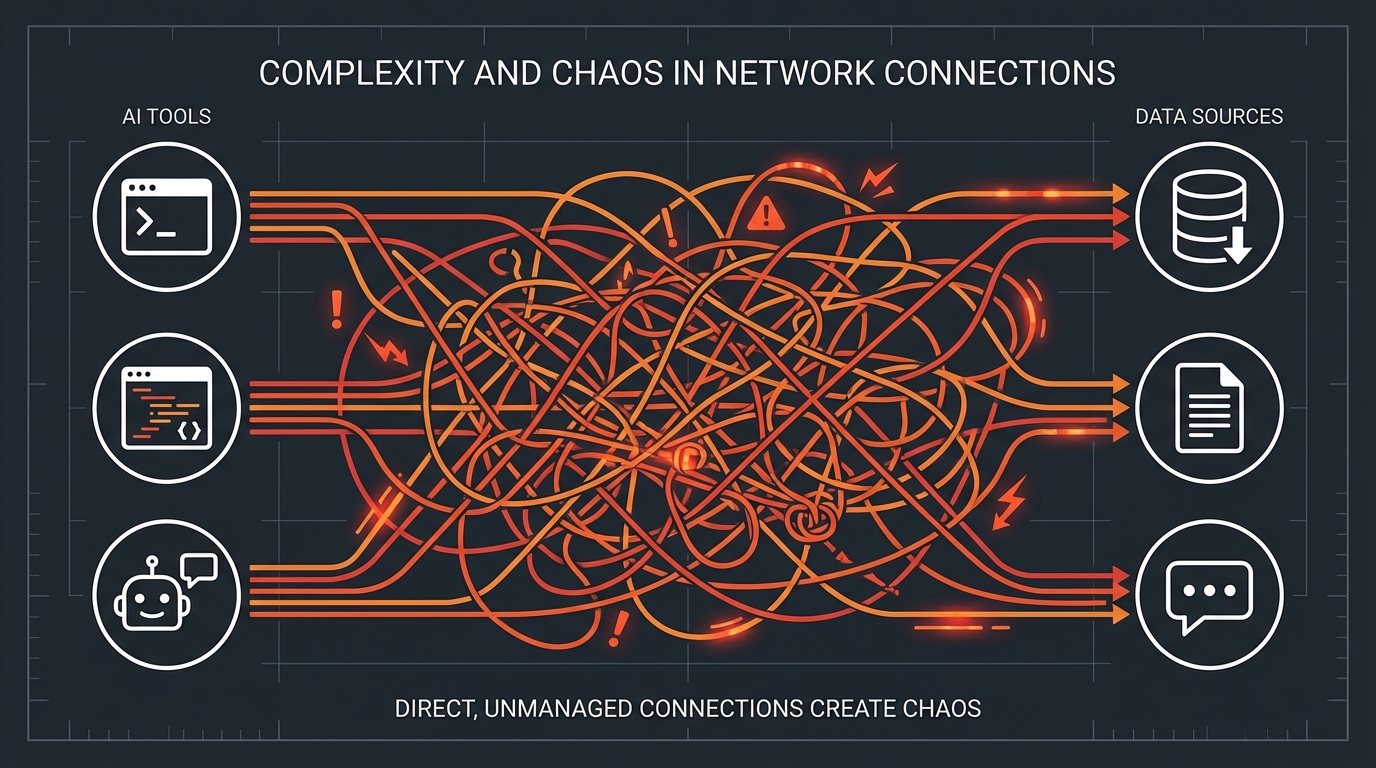 Figure 1: N x M Connection Chaos without a Hub (AI Visualization)
- Cursor directly connects to Postgres, Filesystem, Github
- Gemini CLI directly connects to Postgres, Filesystem, Slack
- Claude Code directly connects to Postgres, Filesystem, Linear
This architecture is feasible in the short term, but as the complexity of the toolchain increases, its drawbacks are exposed:
Context Silos AI memory and context are locked in the private storage of each tool. The database schema knowledge Gemini learned in the CLI is unknown to Cursor. Although your AI assistants are all working for you, they are strangers to each other.
Security Black Hole To let three tools access the database, you must enter the database password in three places. Once the password rotates, you need to update three configuration files. Worse, it's hard to know at this moment exactly which AI is reading your production data.
Maintenance Nightmare Each tool supports the MCP specification differently. Some support
stdiotransport, some onlysse; some support dynamic resource subscription, some don't. As a developer, you are forced to adapt to the quirks of each Client.
This scenario is familiar. Before the popularity of microservices architecture, clients also directly connected to dozens of backend services. Later, we invented the API Gateway (like Nginx, Kong).
In the AI toolchain, we are also missing such a Hub.
III. Solution: Mantra as an MCP Hub
To break this fragmented chaos, we redefined Mantra: it is no longer just a client using the MCP protocol; it is a local MCP Hub.
The Hub Pattern
Borrowing from mature microservices architecture, Mantra establishes a bidirectional "traffic control center" in your development environment:
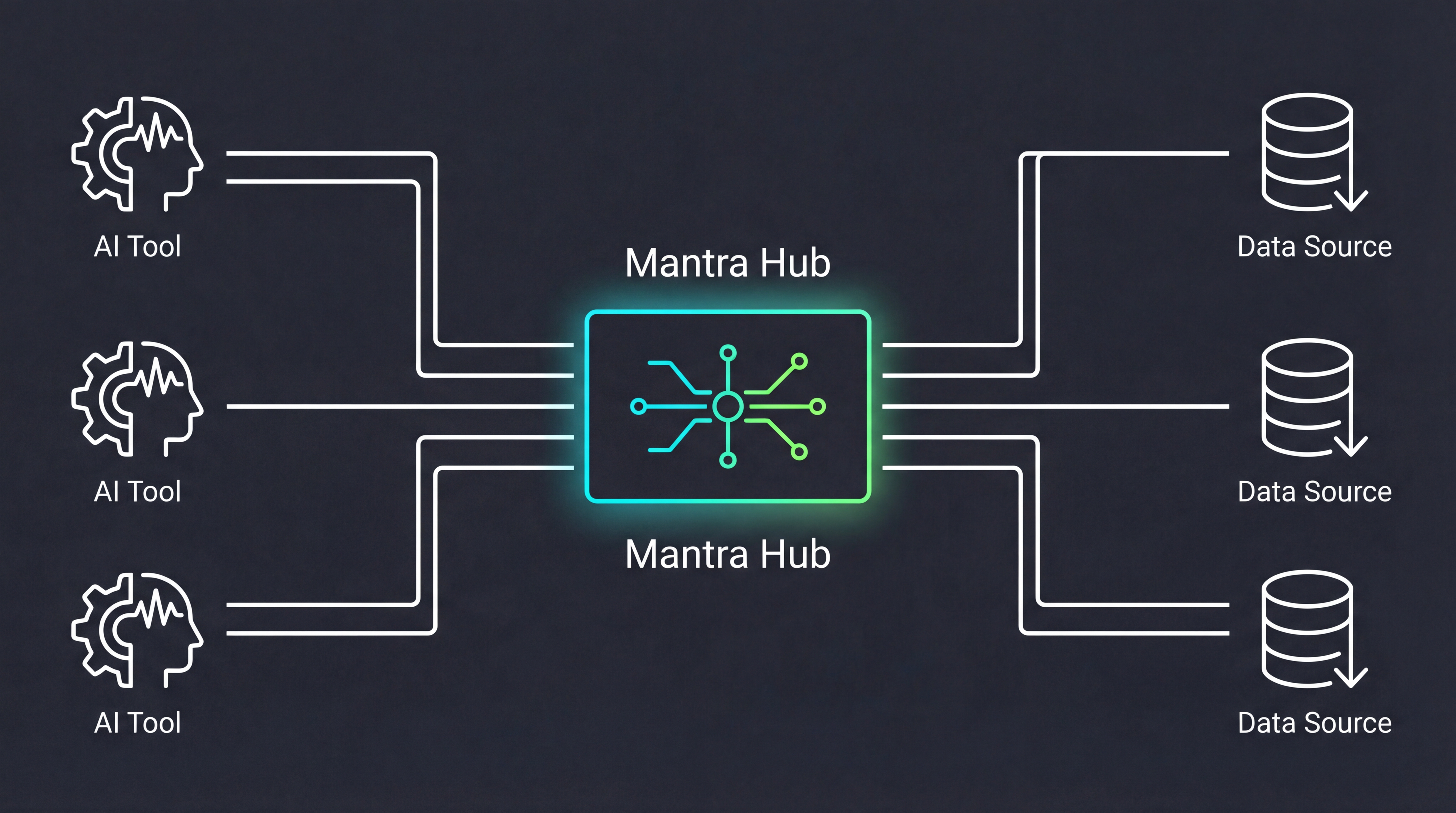 Figure 2: Mantra Hub Pattern: Evolution from N x M to 1 x M (AI Visualization)
Southbound: Server Management Mantra is responsible for connecting and managing various real MCP Servers. Whether it's Postgres, Slack, or the local filesystem, they are all uniformly registered within Mantra. Mantra handles their lifecycle: auto-start, health checks, log aggregation, and error retries.
Northbound: Unified Endpoint To external AI tools (Cursor, Gemini CLI, etc.), Mantra acts like an extremely powerful "All-in-One Server". These tools only need to configure the connection to Mantra once (usually an SSE or Stdio interface on
localhost) to instantly gain access to all registered services.
Key Features
- Unified Registry: Whether it's a temporary tool started via
npxor a locally running Rust service, you only need to configure it once in Mantra. - Context Routing: When Cursor requests to query the database, the Mantra Hub identifies this as a Postgres request and transparently routes it to the real Postgres Server.
- Non-invasive Takeover: Mantra can scan your existing
.gemini/or.cursor/configurations in your project, "initialize" them into Hub management, and redirect the original configuration files to the Hub Endpoint.
This architectural change reduces complexity from N x M to 1 x M. You only need to manage one Hub to serve infinite AI assistants.
IV. Core Value: Re-centralize
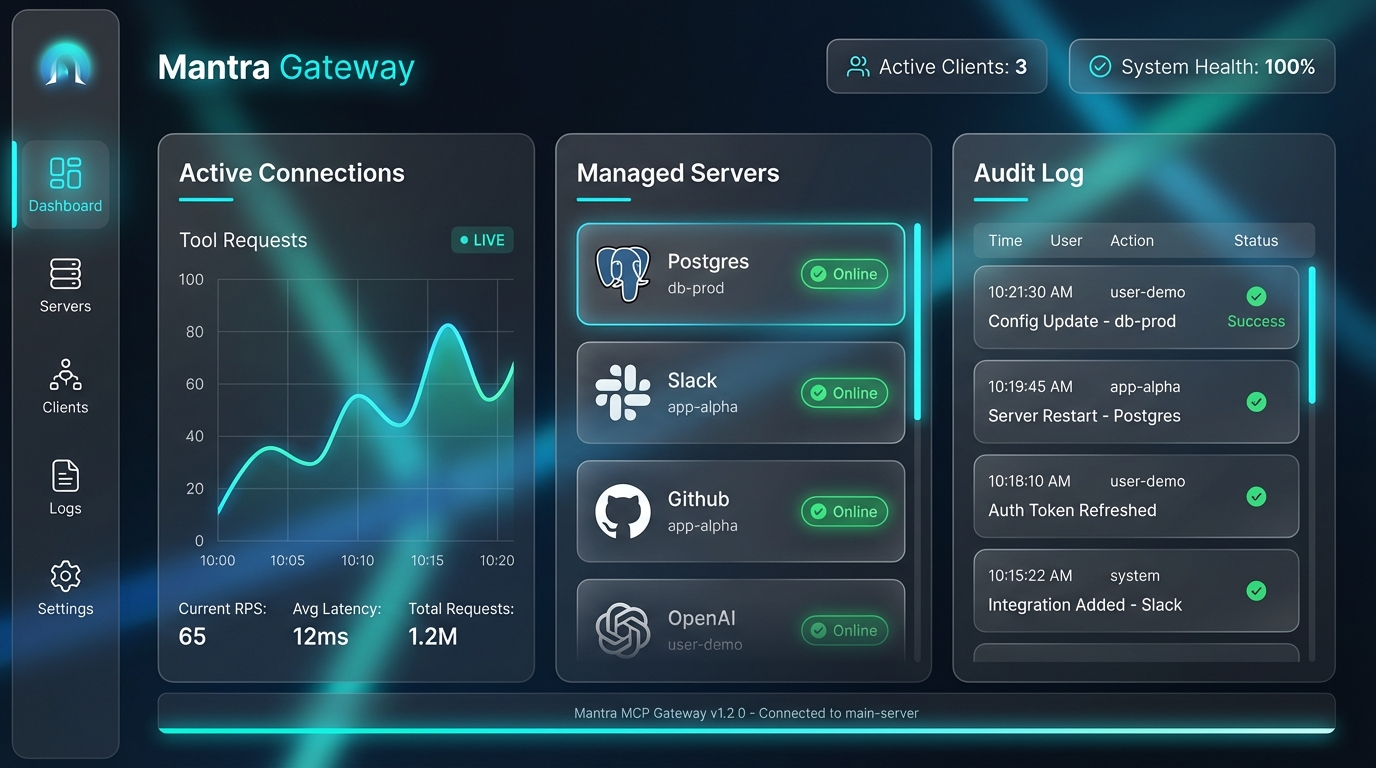 Figure 3: Mantra Dashboard - Observability and Centralized Governance (Mockup)
Unifying configuration into the Hub is not just an engineering convenience; it effectively changes the way we manage AI context:
1. Write Once, Run Everywhere
This is the most intuitive "thrill" for developers. You configure a complex Slack search tool in Mantra, set up environment variables, and pass the test. From then on, whether you are coding in VS Code, chatting in a Chrome extension, or triggering shortcuts in Raycast, as long as these tools connect to the Mantra Hub, they instantly possess the ability to search Slack.
2. Tool Agnostic
The current AI tool market is extremely volatile: Cursor is hot today, Claude Code releases a killer feature tomorrow, and GitHub Copilot might launch a stronger protocol the day after. If you tie all MCP configurations and context logic to the private path of a specific tool, the migration cost will be very high. Through Mantra Hub, you achieve the decoupling of "Context Layer" and "Frontend Layer". You are free to try any new AI tool, while your "digital assets" (those configured connectors and data rules) always remain in the local Hub.
3. Observability & Security Boundaries
When all AI tools access local data through Mantra, you have a God's eye view for the first time.
- Audit Logs: Which tool peeked at my
.env.productionand exactly when? - Granular Control: I can allow Cursor to read the database but only allow Gemini CLI to read Slack.
- Performance Monitoring: Which MCP Server is responding too slowly, causing AI generation lag?
Of course, introducing a Hub is not without cost. Although the latency of local SSE connections is negligible, it does add a background process that needs to run. However, compared to the pain of maintaining three sets of identical database passwords in three different configuration files, this architectural "weight gain" is obviously worth it.
V. Conclusion: The Awakening of Infrastructure
The evolution of AI-assisted development is undergoing a typical "technology maturity" path: from the initial "monolithic toys" to the current "layered architecture".
The future AI toolchain should not be composed of a pile of competing black boxes, but should be transparent, modular, and manageable. Just as the API Gateway ended the connection chaos of early microservices, the emergence of the MCP Hub marks the awakening of AI Context Infrastructure.
By Hub-ifying MCP, developers are taking back the initiative over their toolchains. In this new paradigm, configuration is no longer a burden of repetitive labor but a digital asset that can be continuously accumulated; security is no longer an invisible black box but a visible boundary for audit and governance.
This architectural evolution has only just begun.
In the next article, we will dive into the technical deep end and analyze Mantra's "Transparent Takeover" mechanism in detail: how it automatically scans and seamlessly migrates your existing MCP configurations, allowing you to instantly complete architectural upgrades while maintaining your original habits.
Stay tuned: "Mantra MCP Series (2): Transparent Takeover, Seamlessly Unifying Your Project Context".