
Beyond Enable/Disable, Designing a Fine-Grained AI Governance System
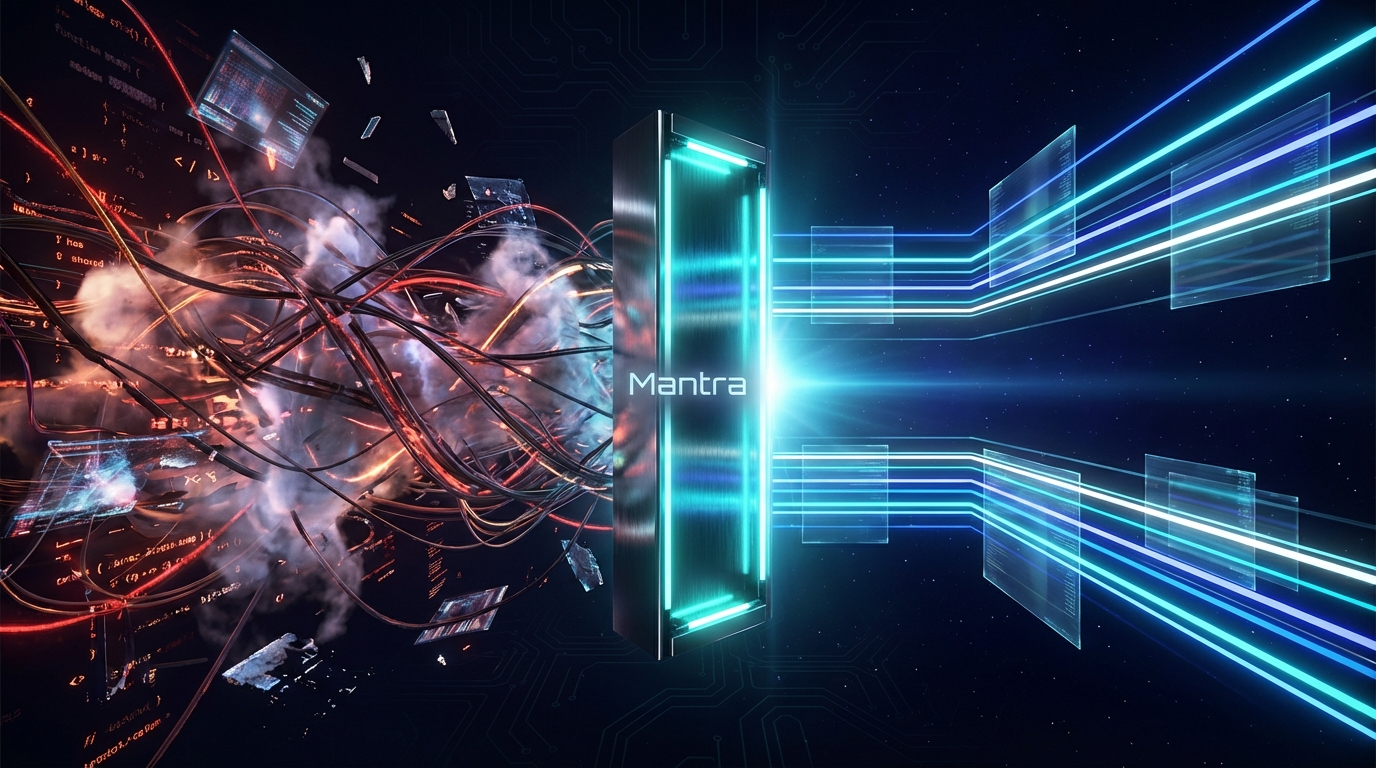
When playing with MCP (Model Context Protocol) in the past, our permission management was basically "black or white": either enable everything and let AI become a "hallucination machine" holding the nuclear launch codes; or lock it down completely for safety, turning it into a repeater that can only chat.
As the designers of MCP Hub, we have an intuition: The "all open / all closed" crude logic is the biggest waste of AI context capacity. This management style ignores a core fact—AI's attention is limited. When you stuff 50 tool schemas that it won't use in the current task into a large model, you are actually artificially creating "Context Entropy".
In this article, let's talk about how Mantra uses fine-grained governance to liberate AI from "noise" and create a truly pure and efficient context environment.
Pain Point: Stuffed System Prompt and "Attention Dilution"
Current MCP client management methods are still quite primitive. When you connect to a Postgres Server, most clients will dump dozens of tool descriptions inside it straight into the AI's System Prompt.
This brings three deep pitfalls:
Attention Dilution: Large models' attention is also a limited resource. If you just want AI to query a table, but it sees
create_index,delete_user, or evenmodify_schema. These irrelevant JSON-RPC definitions will clog the model's context like noise (this is what we call "Context Entropy"), directly diluting AI's focus and causing its accuracy in following complex instructions to plummet.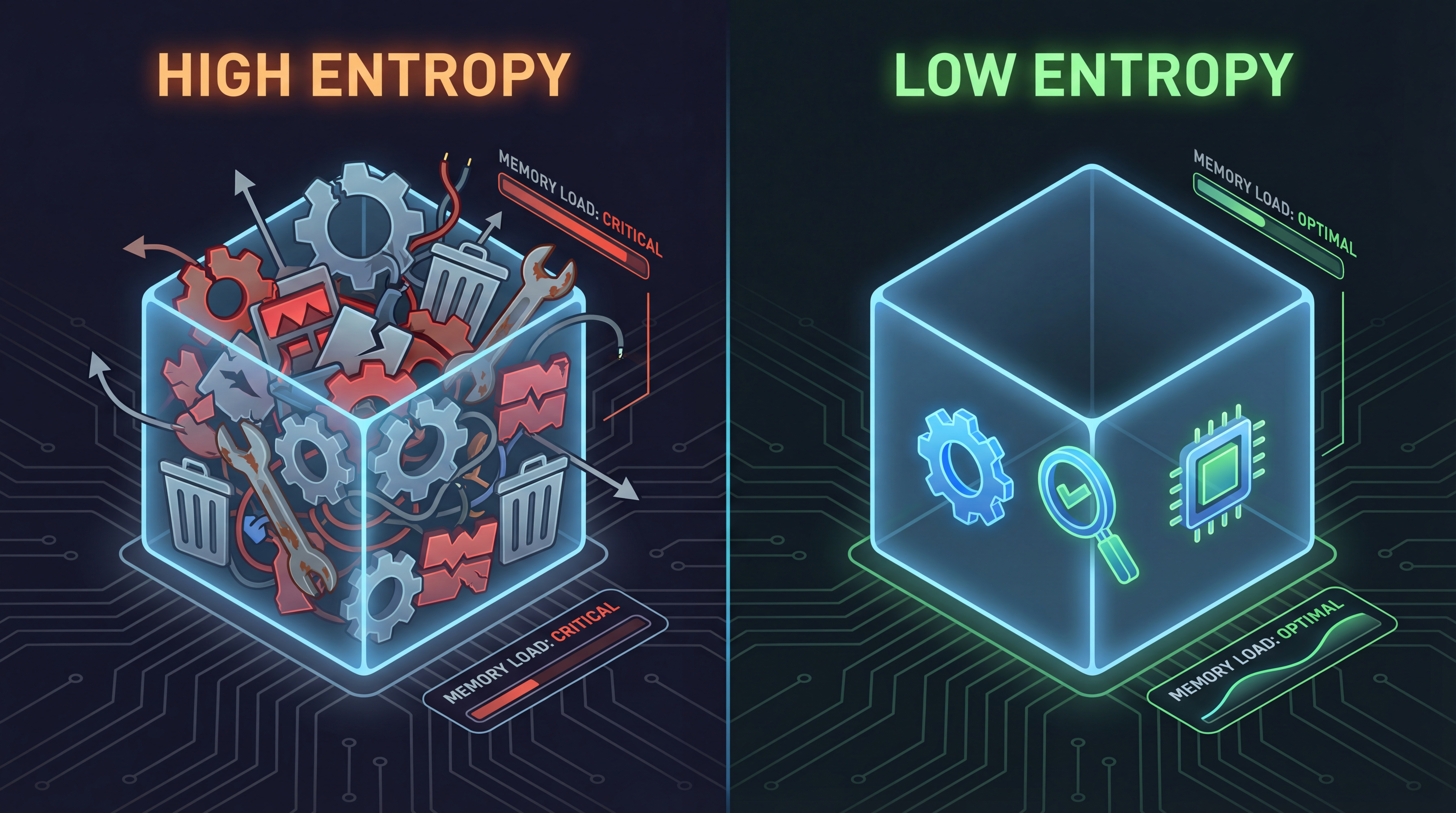 Figure 1: Context stuffed with redundant tools (High Entropy) vs. Pure context cleaned by Mantra (Low Entropy)
Context Window "Inflation": Useless tool descriptions are also burning your Tokens. Each tool's Schema description can take up hundreds of Tokens. In a development session lasting several hours, this cumulative waste is staggering. Using pay-as-you-go models like Claude 3.5 Sonnet or GPT-4, you are actually paying for "background noise".
Security Anxiety Stifles Productivity: Precisely because they are afraid of AI messing up, many teams only dare to open a very small number of tools to AI. This "giving up eating for fear of choking" (excessive caution) cripples half of AI's powerful capabilities.
Let's be honest, governance isn't just about restriction; its core is actually "noise reduction", and incidentally, truly empowering AI.
Core Logic: Only When You See It Can You Manage It
The difference between MCP Hub and ordinary Clients is that it can "penetrate" the black box.
As soon as you spin up an MCP Server in Mantra, the gateway "matches the code" with it. By executing list_tools, list_resources, and list_prompts in the standard protocol, the gateway can enumerate all the potential of that service in real-time. We don't play games; we penetrate the process directly and turn every atomic capability inside upside down. Mantra parses these JSON-RPC responses and tags each tool using a built-in semantic engine.
With this layer of parsing, Mantra can lay out those originally invisible black-box capabilities clearly on the console. We can identify at a glance which are "Read-only (Safe)" and which are "Destructive Modifications (Dangerous)". This is the foundation of automated governance.
On-demand Exposure: Doing "Context Subtraction" for AI
In Mantra's control panel, expanding a service is no longer a cold switch, but a detailed, interactive Capability List.
1. Strict Mode and Smart Grouping
You can precisely control what AI should "perceive" at this moment:
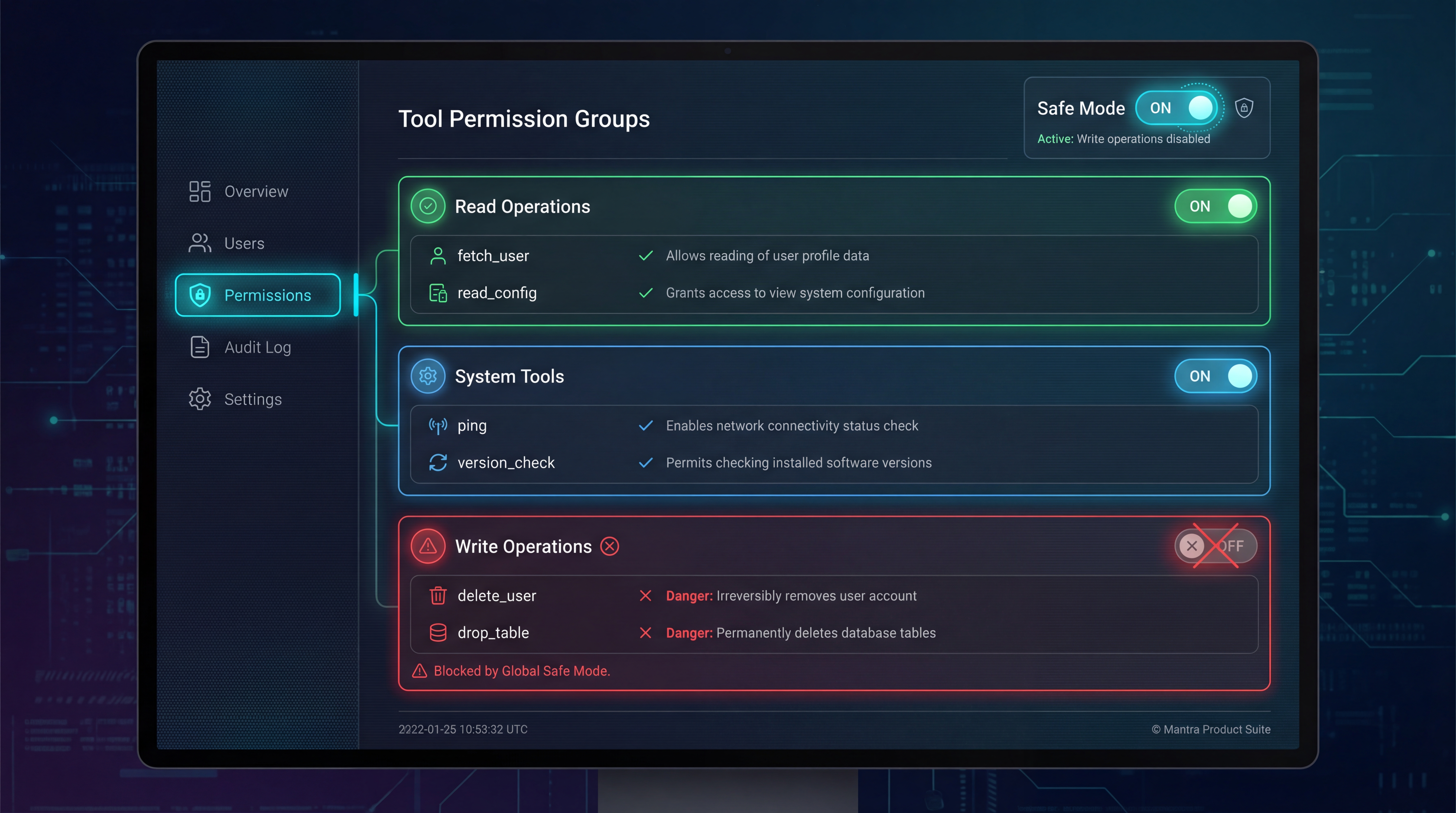 Figure 2: Mantra Control Panel - Checking read_query for Postgres service while hiding drop_table
- Project-Based Isolation: Mantra allows you to create different "Workspaces". You can configure it to load only Wiki and Search Servers in
Researchmode, and load Database Servers only inProduction-DBmode. This context-based isolation ensures that AI won't see tools it shouldn't see when it shouldn't appear. - Semantic Grouping: Faced with dozens of tools, you don't have to pick them yourself. Mantra automatically categorizes tools into
Data Query,Schema Management, etc. Want to turn on "Read-only Mode" with one click? Just click it, and security hardening is done in seconds. - Tool Policy: This is the killer app. For a service with 50 tools, you might only want to expose 3 query interfaces (like
list_tables,read_query,describe_table). When Cursor connects, the gateway dynamically filters outdelete_rowordrop_table. In AI's view, this Server only has these 3 functions. The context instantly becomes pure, and reasoning accuracy is maxed out.
2. Multi-Client Differentiated Authorization
This is the coolest feature of MCP Hub. You can customize different "masks" for different tools:
- Cursor (IDE): Turn on "High Trust Mode". Because you are staring at the code, you can give full permissions and let AI go wild.
- Gemini CLI (Background Task): Turn on "Strict Audit Mode". Read-only, any write operation is slapped dead directly at the gateway layer.
- Automation Scripts: Least privilege. The script that sends weekly reports is only allowed to touch Slack, absolutely not the database.
This "Differentiated Authorization" ensures that security and efficiency don't have to be an either-or choice; we want them both.
Strict Interception: The Last Line of Defense
Even if some "write operations" must be exposed, the gateway still provides a layer of physical protection.
1. The Interceptor Mode
You can turn on "Always Confirm" for high-risk tools. This is like adding "Two-Step Verification" to AI. When AI attempts to call execute_write, Mantra suspends the request and pops up a window directly on the interface: "Cursor is attempting to modify the database, approve?". If you don't nod, AI can't move.
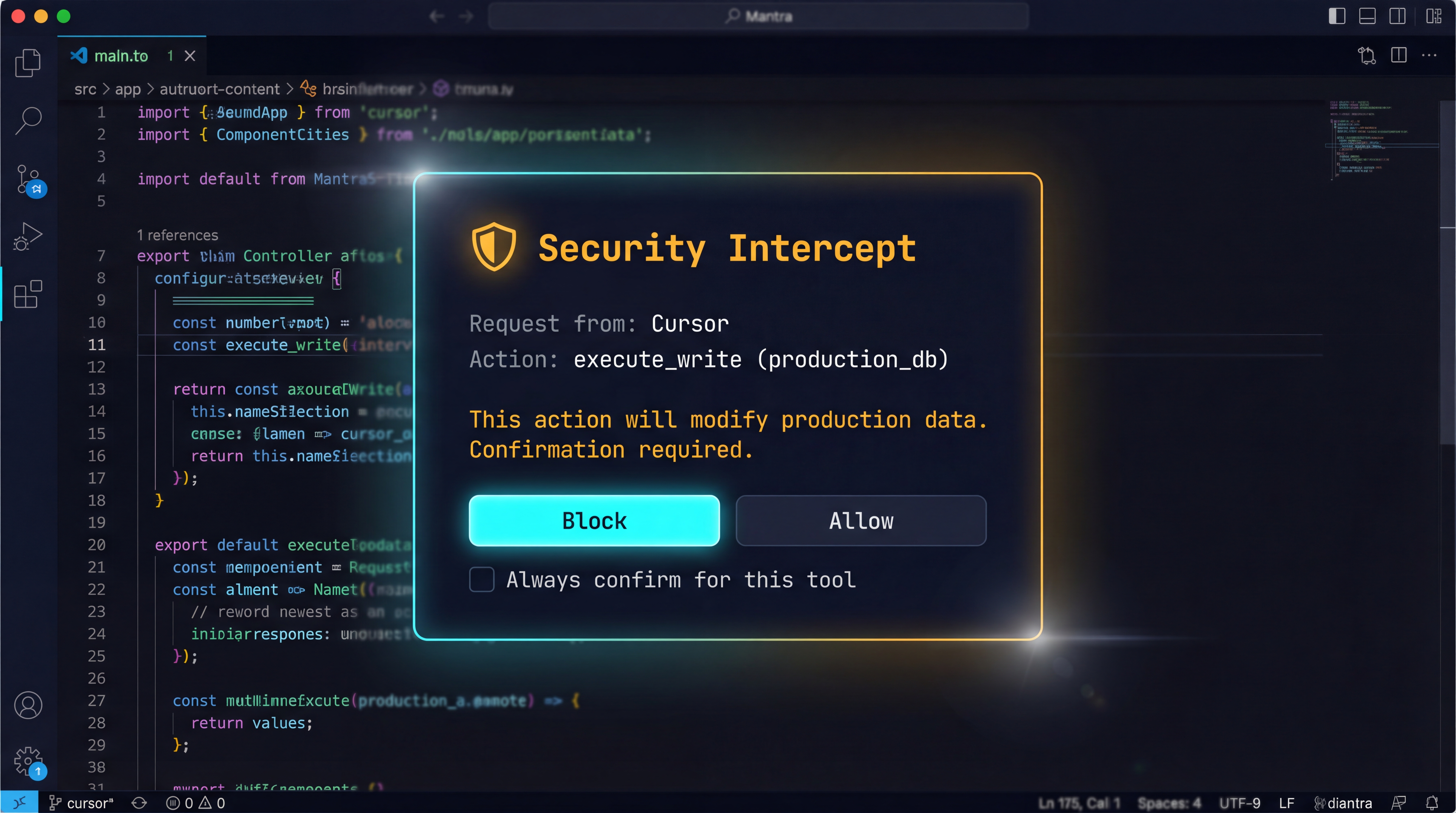 Figure 3: Interceptor Mode - Pre-emptive defense against high-risk operations
With this interceptor, security management has changed from a passive "post-event audit" to an active "pre-emptive interception" that keeps threats outside the door.
2. Real-time Audit Logs
Combined with Real-time Logs, you can clearly see which tool AI is calling and what parameters it is passing every second. This transparency is the confidence you need to entrust core tasks to AI.
Inspector: Built-in Debugging Microscope
Developers are most afraid of "AI reported an error, but I don't know why". Is the description written askew? Or do the parameters not match?
MCP Hub has a professional Inspector built-in. Want to tweak a newly written tool, or curious why AI always produces specific hallucinations? Open the Inspector directly to observe the raw JSON-RPC stream. You can even simulate AI calls directly on the interface: fill in parameters, test logic, no need to go back to the IDE to try repeatedly.
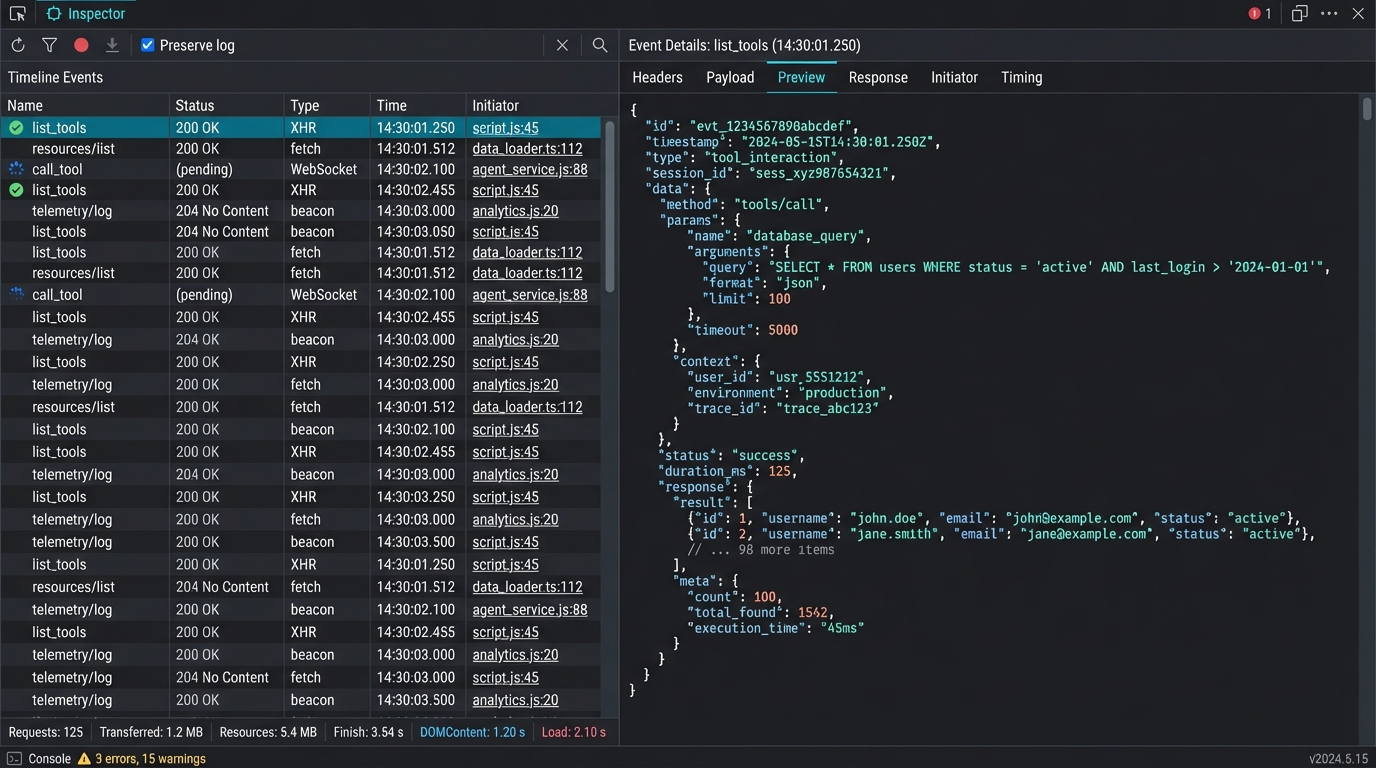 Figure 4: Built-in Inspector - Visual debugging of JSON-RPC traffic
This "What You See Is What You Get" experience really elevates development efficiency by an order of magnitude.
Conclusion: Governance is for Better Release
To be honest, in the AI era, our challenge is no longer how to connect to data, but how to preserve AI's intelligence amidst this pile of messy contexts.
Governance is not about shackling AI, but about creating a focused, pure working environment for it by setting boundaries and eliminating noise. When interference disappears, the logical precision AI demonstrates is the real productivity.
Mantra is trying to define this "new gameplay" for the AI era.
In the final article of the series, we will return to actual combat. We will demonstrate how to use this Hub system to drive Cursor, Gemini CLI, and your own scripts simultaneously.
Stay tuned for: "Practical Guide: One Hub, All Tools, Driving Your AI Workflow with Mantra".